Service reminders & messages
Bring customers back at the right time.
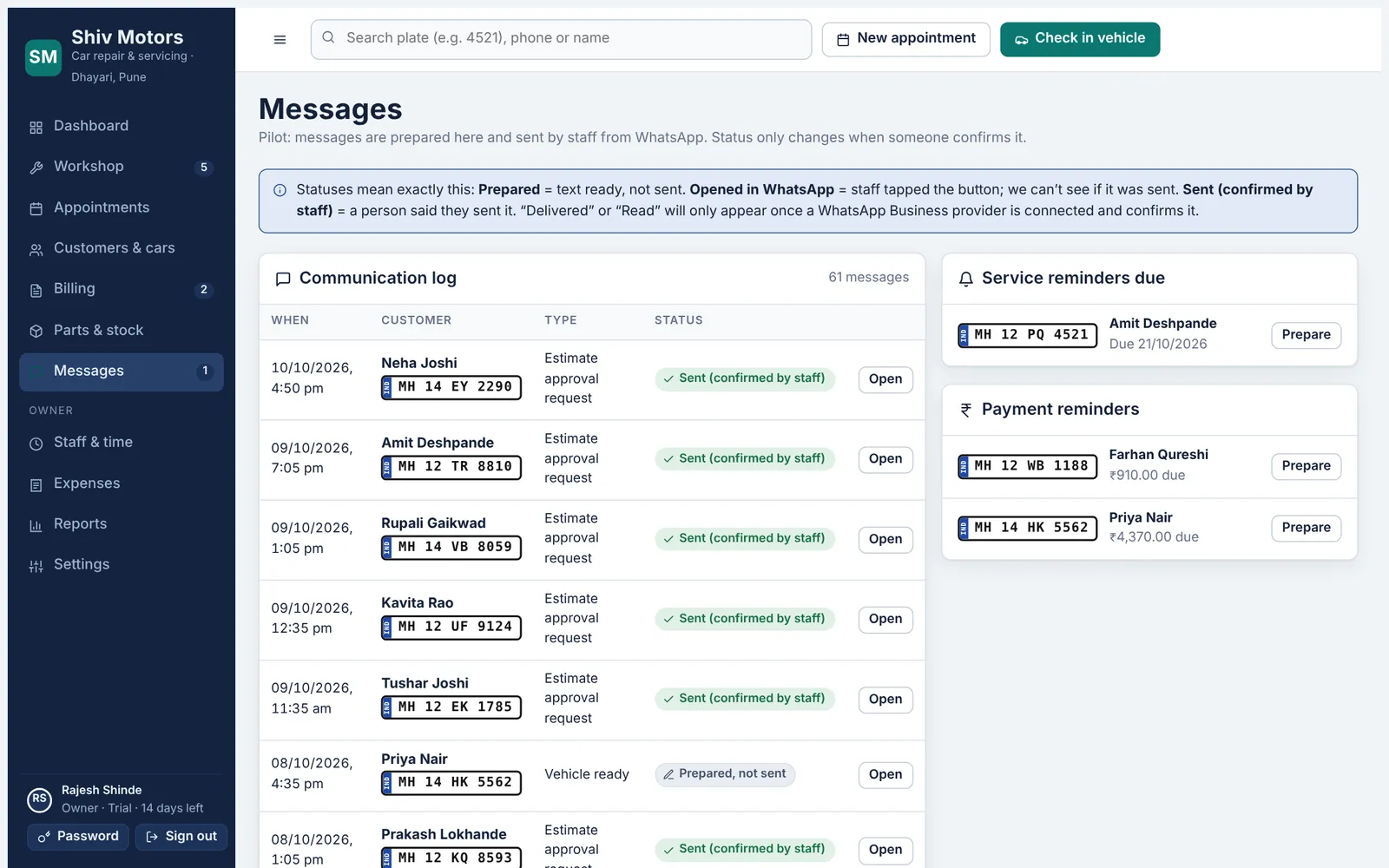
At handover the next service date and kilometre target are saved on the car. Cars that are due show up for a reminder, and the app prepares the WhatsApp message with the customer’s name, car and your garage details. Messages for appointment confirmation, estimate, car ready, invoice and payment due are prepared the same way, and every message is logged on the customer with its status.
Included in every plan, from Starter up.
What you can do
Next service on every car
Date and kilometres, set at handover and editable any time.
Due list
Cars due for service are listed so nobody is forgotten.
Prepared messages
Appointment, estimate, ready, invoice, payment due and reminder messages.
Opens WhatsApp
The message opens in WhatsApp filled in; you press send.
Message log
Every message is kept on the customer with its status.
Consent respected
A reminder cannot be prepared for a customer who opted out.
How it works
- Set the next service at handover.
- Check the due list in Messages.
- Tap to open the prepared message in WhatsApp.
- Mark it sent; it is logged on the customer.
Good to know
Are reminders sent automatically?
Not yet. Automatic WhatsApp and SMS sending is planned for the Pro plan. Today the app prepares each message and you send it.
Can I change when a car is due?
Yes. Settings → Reminders & links sets the months and kilometres to the next service and how many days early a car shows as due.
What if a customer asks to stop reminders?
Untick reminders on the customer. The withdrawal is recorded with the date.
Works together with
Try service reminders & messages in your garage
Free for 14 days with every feature. Setup takes about ten minutes: add your mechanics, then check in a car.