Digital vehicle inspections
Turn what the mechanic sees into an estimate the customer trusts.
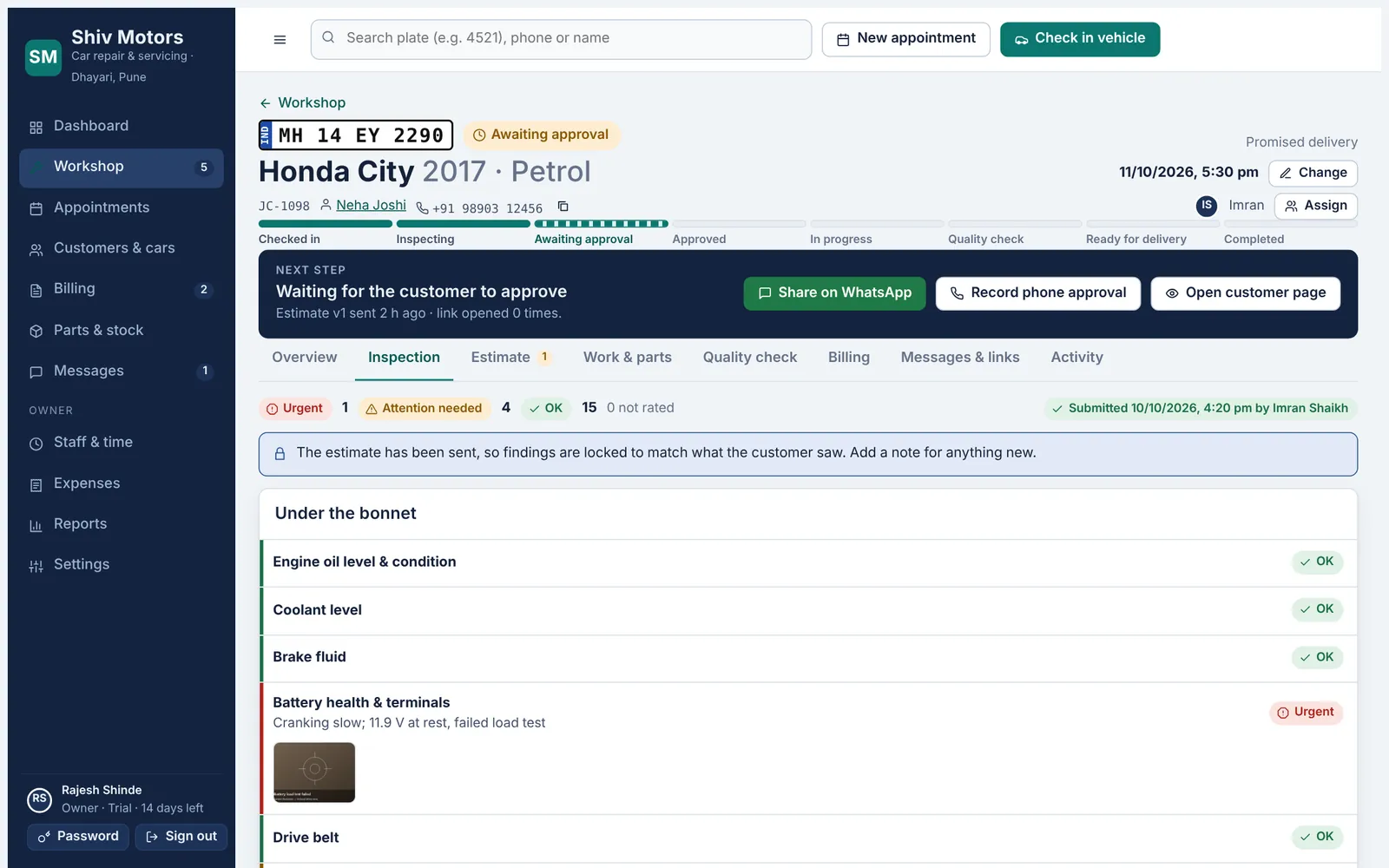
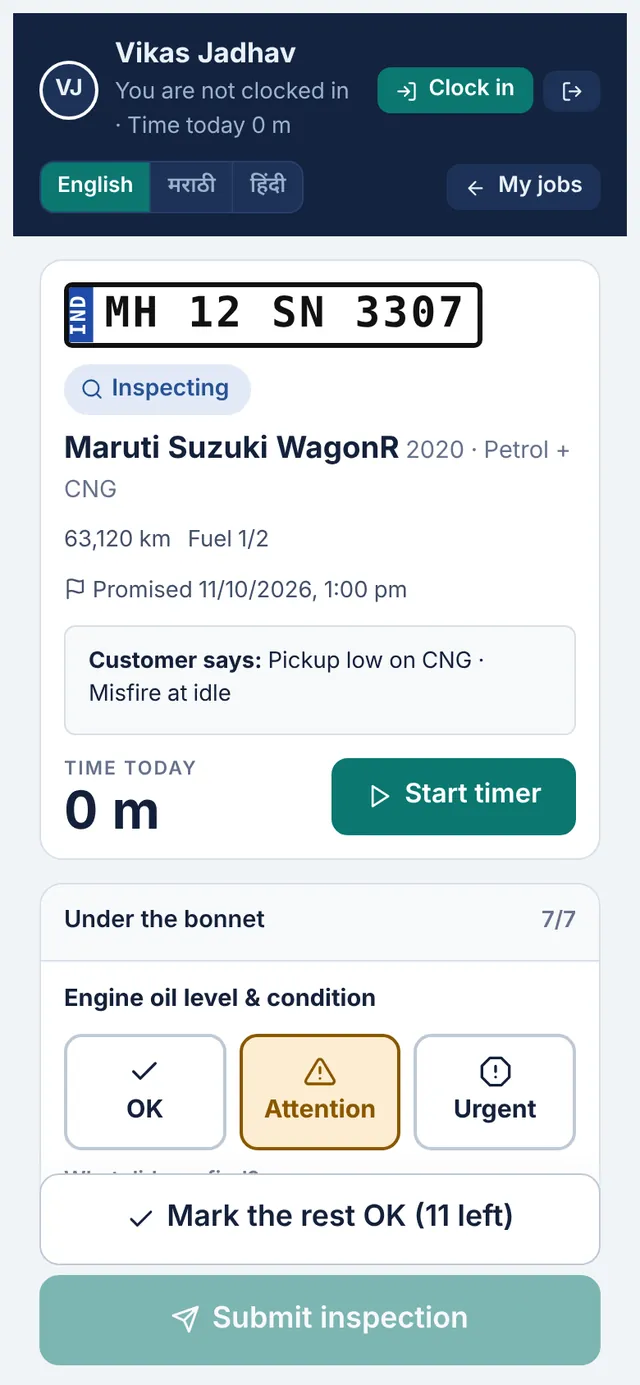
Mechanics work through a checklist on their phone, section by section, and rate each item OK, Attention or Urgent with big buttons. An issue needs a short note, and photos can be added. “Mark the rest OK” finishes a clean section in one tap. When the inspection is submitted, the findings become estimate lines and the customer sees the same findings, photos included.
Included in every plan, from Starter up.
What you can do
Checklists by car type
A standard checklist and an EV checklist are included. Add or edit your own in Settings.
Three clear ratings
OK, Attention and Urgent, with colour and icon so nobody misreads them.
Notes and photos
Every issue needs a note; photos show the customer exactly what was found.
Mark the rest OK
Finish a section in one tap once the issues are recorded.
Locked after sending
Once the estimate goes out, findings are locked so they match what the customer saw.
In three languages
The mechanic screen works in English, मराठी and हिंदी.
How it works
- The mechanic taps Start inspection on the job.
- Each item is rated, with a note and photo for anything wrong.
- Submit sends it to the office.
- The advisor builds the estimate from the findings in one tap.
Good to know
Can I change the checklist?
Yes. Settings → Inspection checklists lets you add items, remove items and create new checklists.
How many items are in the standard checklist?
Around twenty items across under the bonnet, brakes and tyres, lights and electrics, and the road test. You can change it.
Does the customer see the photos?
Yes, on their private link, next to the item in the estimate.
Try digital vehicle inspections in your garage
Free for 14 days with every feature. Setup takes about ten minutes: add your mechanics, then check in a car.